X





EasyMint simplifies everyday life at work with safety, speed and ease
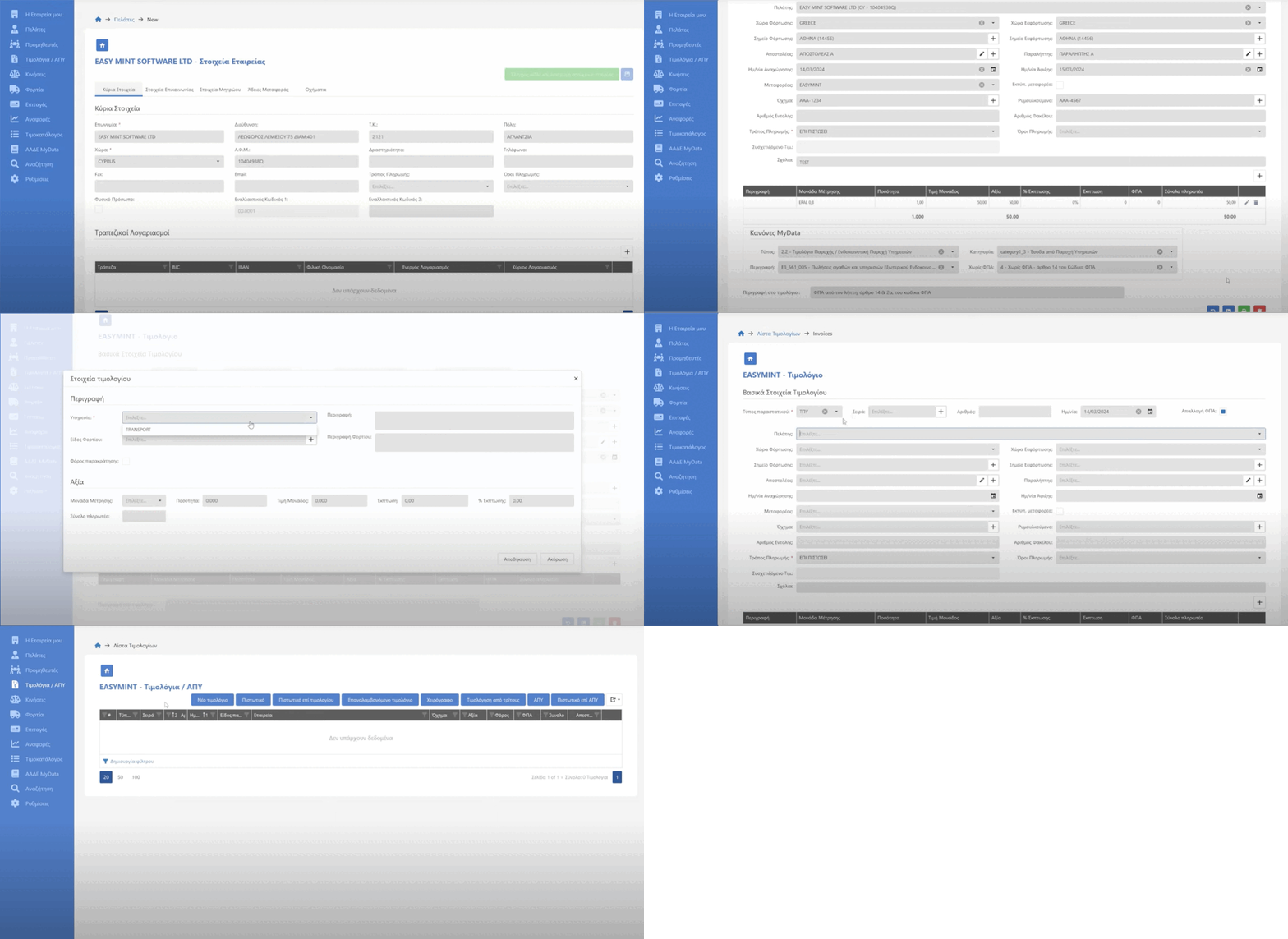
Every required field is here, ready to be filled in with the transport details. Automations save you time and prevent errors and omissions.
Each entry is automatically saved for future use
Easy Vehicle Management
Choose your vehicle from the trucks and trailers list, with a simple click
For similar transport services save time with the recurring invoice
Automatically Issue a credit note on a specific invoice
Billing in a Foreign language
Automatic invoicing in foreign language for international customers, with VAT exemption on international transactions.

Saving: The Art of Understanding Expenses
Does EM ensure efficiency in every aspect of managing expenses for success of your business
At EM accuracy starts with correct entry. Our friendly system for the user simplifies this process, allowing you to register your expenses easily and to categorize them without the need of accounting knowledge. Link your expenses with specific trucks and routes to get a complete picture of your business performance.
Save time by automating the payment of expenses you pay either with cash or card, simplifying your financial tasks without effort.
Save time by automating the payment of expenses you pay in cash or card, streamlining your financial tasks effortlessly.
Central Cheque Management
User-Friendly dashboard: EM’s central dashboard allows you to register and transfer your cheque in a user-friendly and convenient space.
Multiple search filters: Easily search for cheque by due date, customer or vendor details using our multiple search filters.
Schedule and track loads from the central load and truck screen.
Recording for all the quality characteristics of the loads, volume, weight, type of goods and transferring the description to the invoice.
Automatic generation of CMR and loading order, with the possibility of processing before shipment to the customer.
Calculate gross profit from the order entry screen.
Correlation/Resemblance of costs of running the route assignment of cargo to several carriers.
Entry of carrier invoices directly into the loading portion.
Easily manage completed orders, view unbilled loads and bill directly with one click for the central loads screen.
All in one place
Print lists of pending orders, orders to be billed or the other data from the main screen.
Use statistical analysis to get useful information for costing and managing your project.